Triggers & steps
A trigger is what starts an automation: a new email, a new file in a Drive folder, a case left untouched, a value that changes, or a date coming up. Steps are what it does each time, like a calendar reminder or an email draft.
Every automation has one trigger. Pick it at the top of the trigger row, under Trigger type. Switching clears that trigger's settings.
Gmail
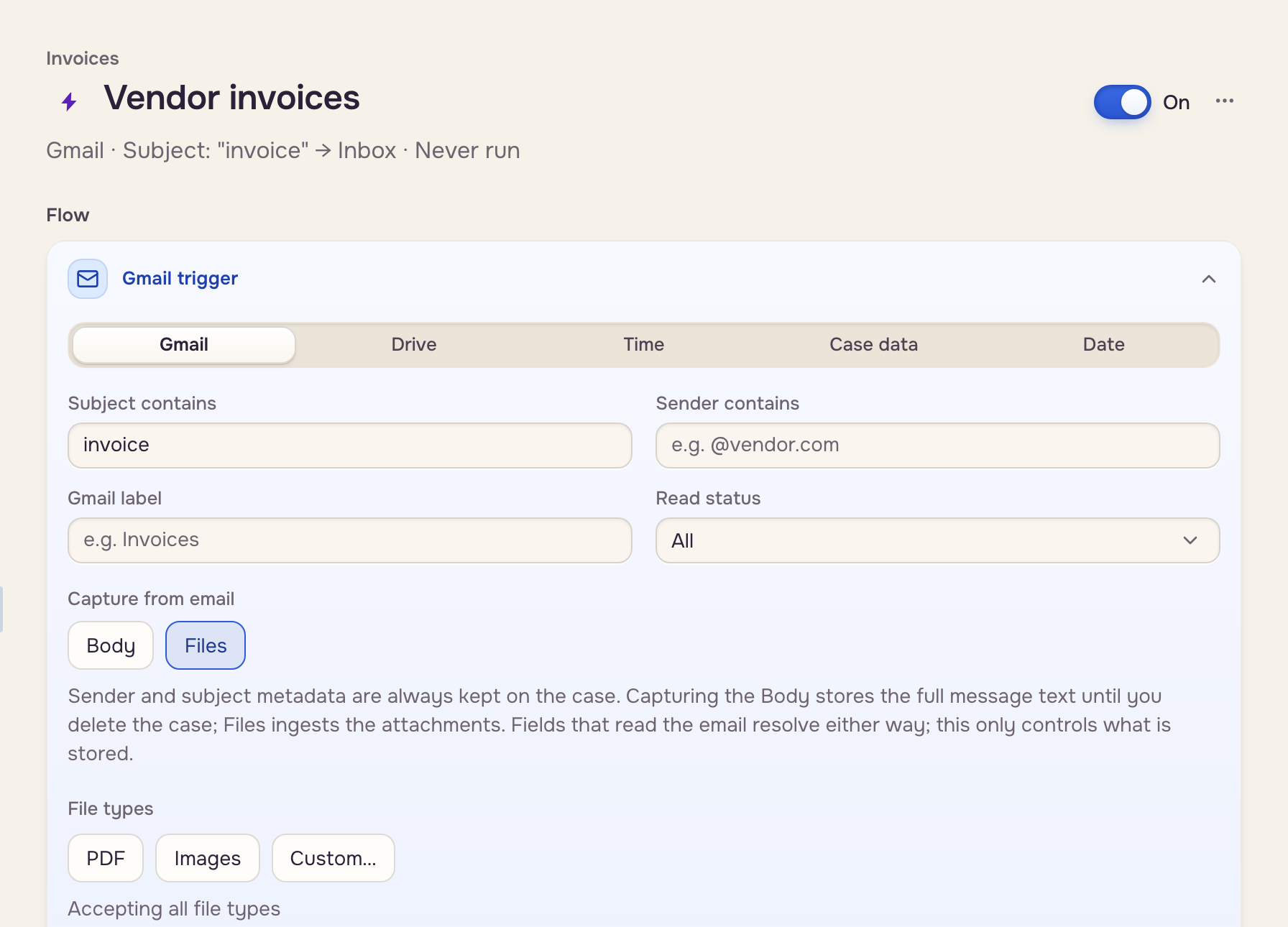
Watches the inbox of the person who made the automation.
- Subject contains, Sender contains, Gmail label, Read status: every filter you fill must match. Capitals don't matter.
- Capture from email: Files keeps the attachments, Body the message text. Pick one or both. Sender, subject, and date are always kept.
- File types: PDF, Images, or Custom… (a new trigger takes PDFs and images).
- With an Extraction step, + Capture from the email saves the sender, the subject, or a piece of the body as case data.
Drive
Watches one Google Drive folder. Only files directly in it count. Import from Google Drive walks through it.
 One Drive folder
 The automation runs
Time
Moves cases nobody has touched. Pick the mailbox under From mailbox, the days under After N days idle, and where they go under Mailbox routing. A new file, an edit, or a note resets the count. It checks once a day.
 Days of no activity
 Another mailbox
Case data
Runs when a value on a case changes, whoever changes it. Type the values under Watched data keys, separated by commas.
 A watched value changesYour steps
Date
Runs a set number of days before a date on a case, like a due date. Pick the Date field and the Days before: 0 is the day itself, a negative number is after it. It checks once a day.
 A date on the caseYour steps
Steps
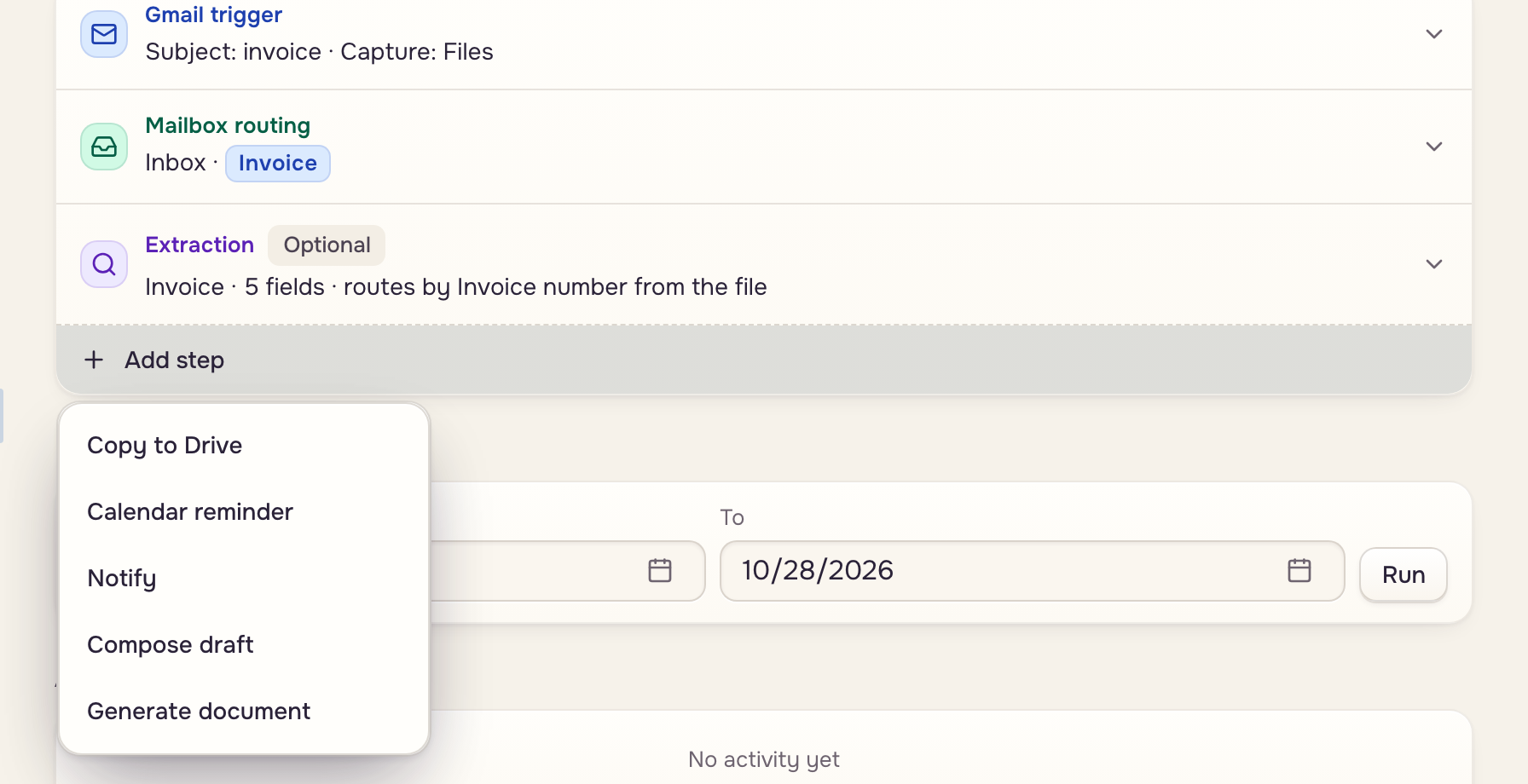
Click Add step under the trigger. Case data and Date automations need at least one.
| Step | What it does | Triggers |
|---|---|---|
| Extraction | Runs a template on each file | Gmail, Drive |
| Copy to Drive | Also saves each file to a Drive folder | Gmail |
| Calendar reminder | Adds an event to your Google Calendar, up to five | All |
| Notify | Posts a notification to the workspace | All |
| Move to mailbox | Moves the case | Case data, Date |
| Compose draft | Drafts an email from an email template in your Gmail | All |
| Generate document | Runs a template and adds the document to the case | All |
Reminders and drafts use your Gmail connection. A draft waits in your Gmail; it is never sent.